KitGuru KitGuru.net – Tech News | Hardware News | Hardware Reviews | IOS | Mobile | Gaming | Graphics Cards


HDR Testing
MSI offers three modes – Peak 1300 nits, True Black 500 and EOTF Boost. There is also now the ability to customise the brightness curves for both the Peak 1300 and True Black 500 modes, though the TB500 option isn't currently functional as this is a pre-release sample.
We do need to point out that MSI sent us a firmware update midway through the review process, and this has made things a little messy. We originally tested FW.009, but MSI sent us FW.014 to update the EOTF Boost mode behaviour.
Brightness
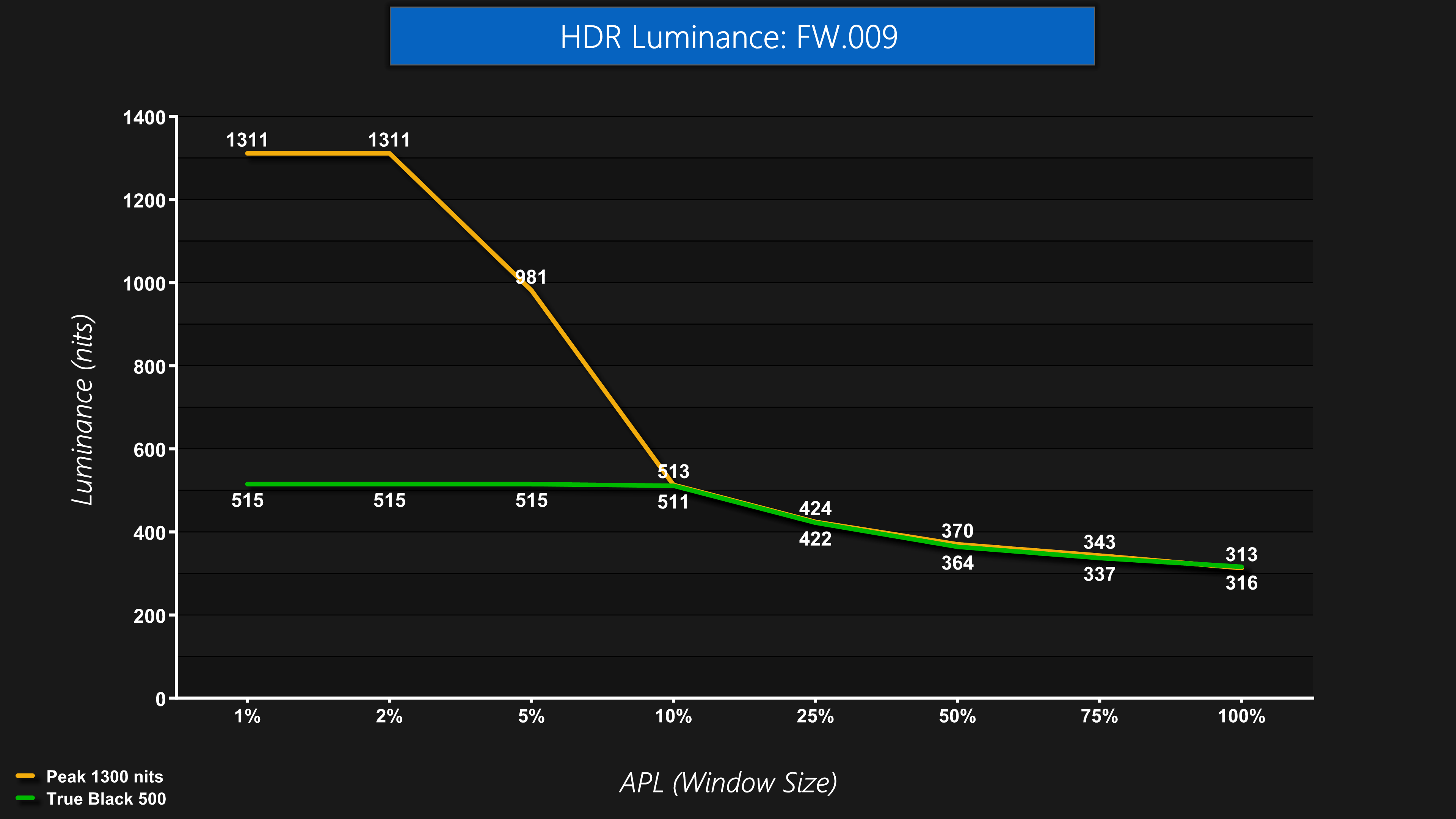
Starting off with brightness of the main two modes using the original firmware, we see the Peak 1300 nits mode hitting just over 1300 for the 1% and 2% APLs, and then it drops off as the window size increases. The True Black 500 mode hits 515 nits up to the 10% APL where it dims and follows identical behaviour to the Peak 1300 nits mode.
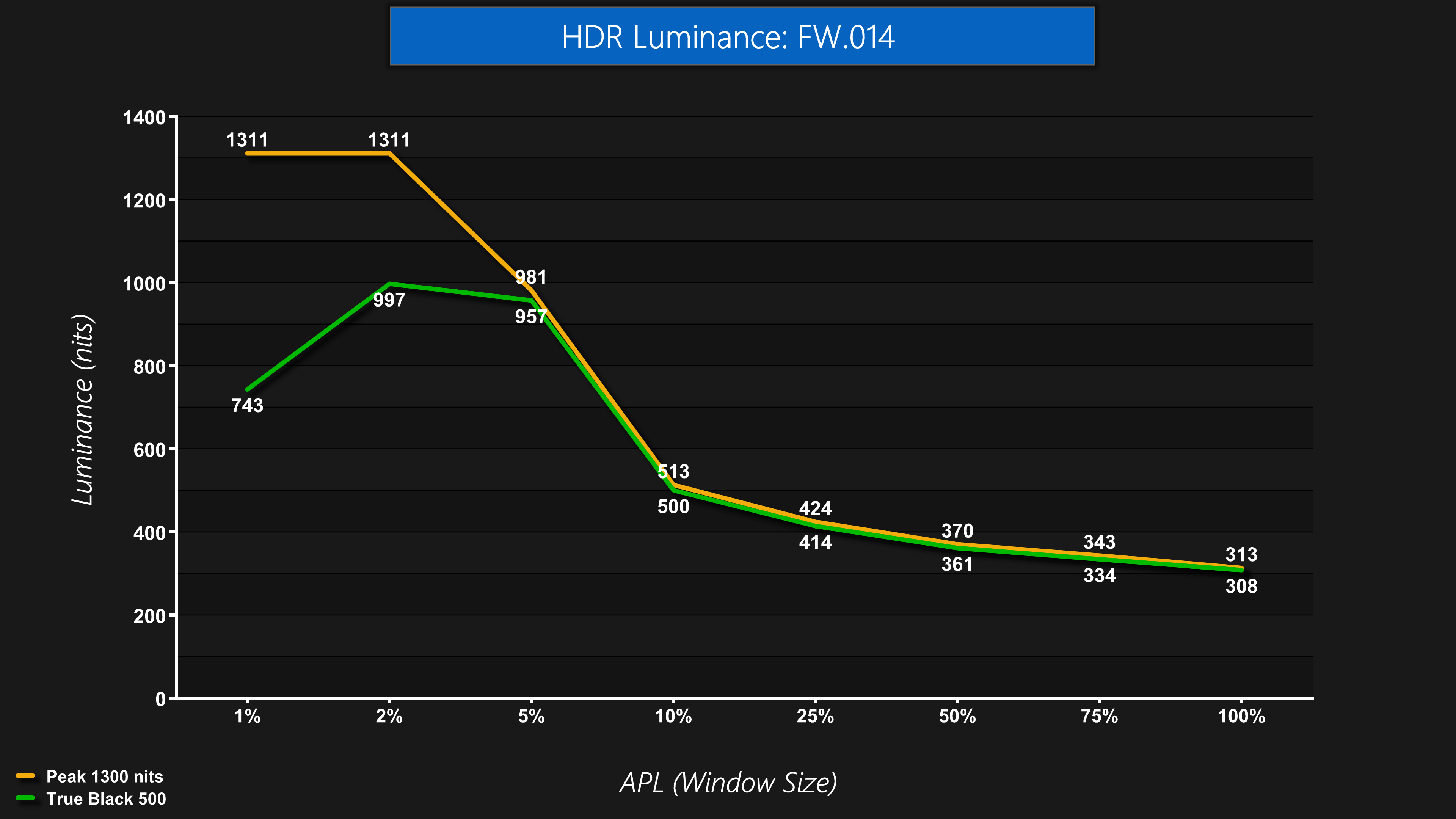
However, what's really weird is that in the latest firmware, the True Black 500 behaviour seems a bit borked, given it is now significantly brighter and nothing at all like the TB500 mode we'd expect – it seemed perfect first time around, but something about the latest firmware has changed its behaviour. See below for the full explanation!
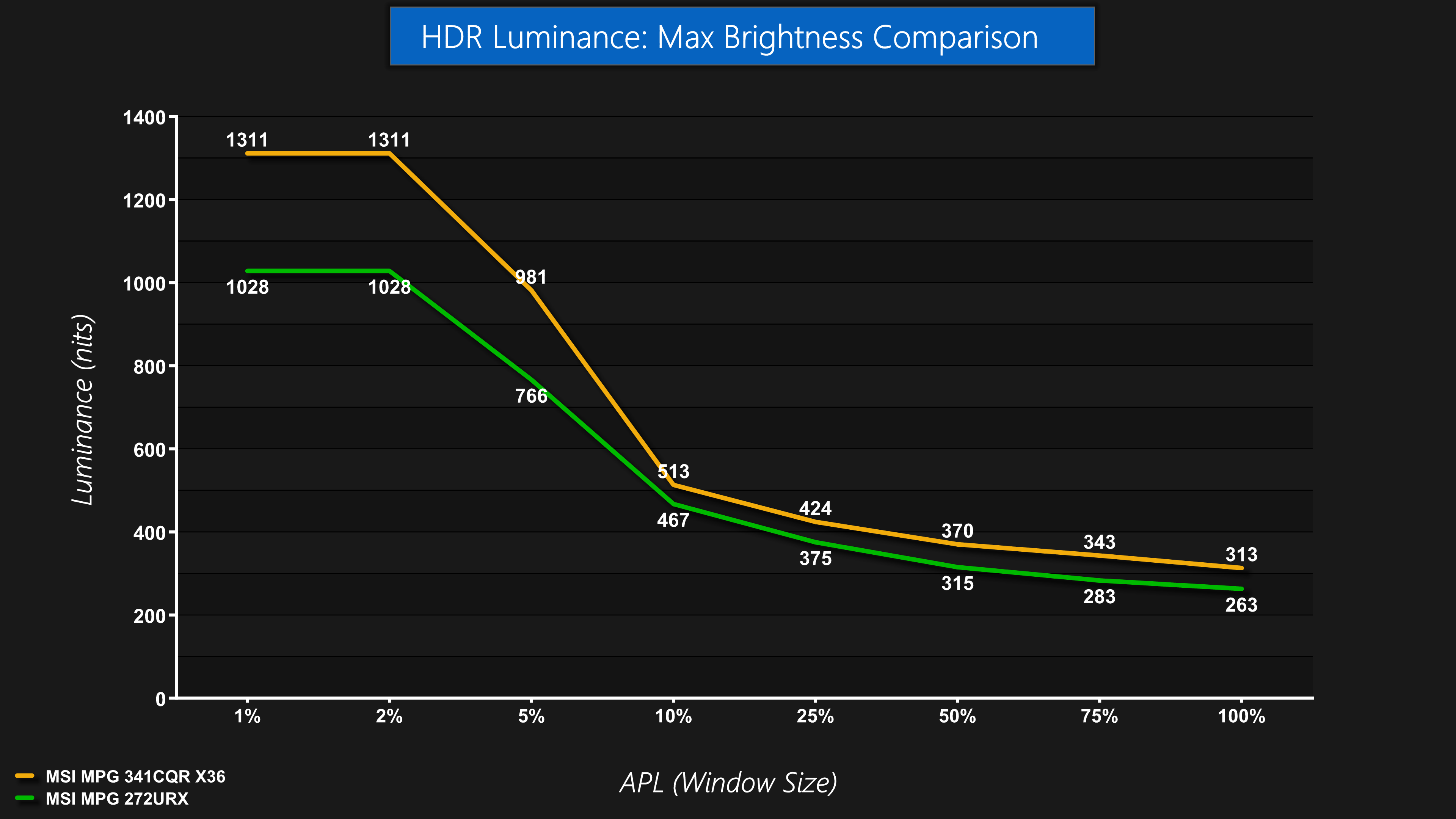
Focusing on the peak brightness mode though, which stayed the same between firmware updates, we can see the improvements made versus the 4th Gen 272URX. We're comparing the respective Peak modes on each monitor, and you can see the 341CQR X36 is brighter at every APL tested, with the biggest improvements coming for the 1% and 2% APLs.
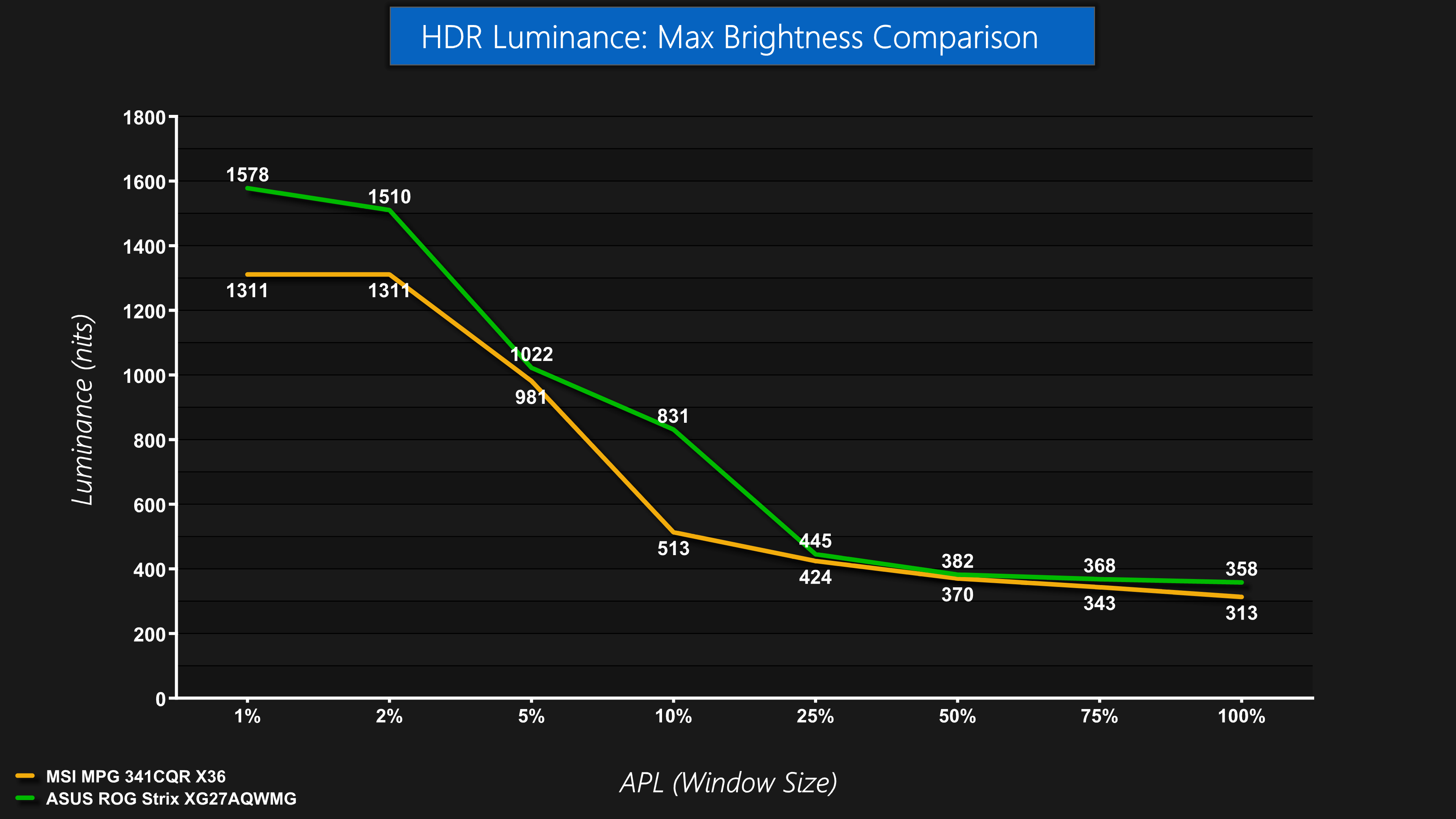
4th Gen Tandem WOLEDs do hold the edge for brightness though, as we're comparing against the ASUS ROG Strix XG27AQWMG here, which can hit almost 1600 nits for the 1% APL, but holds brighter across the rest of the curve too – even if the differences are small at 25% APLs onwards.
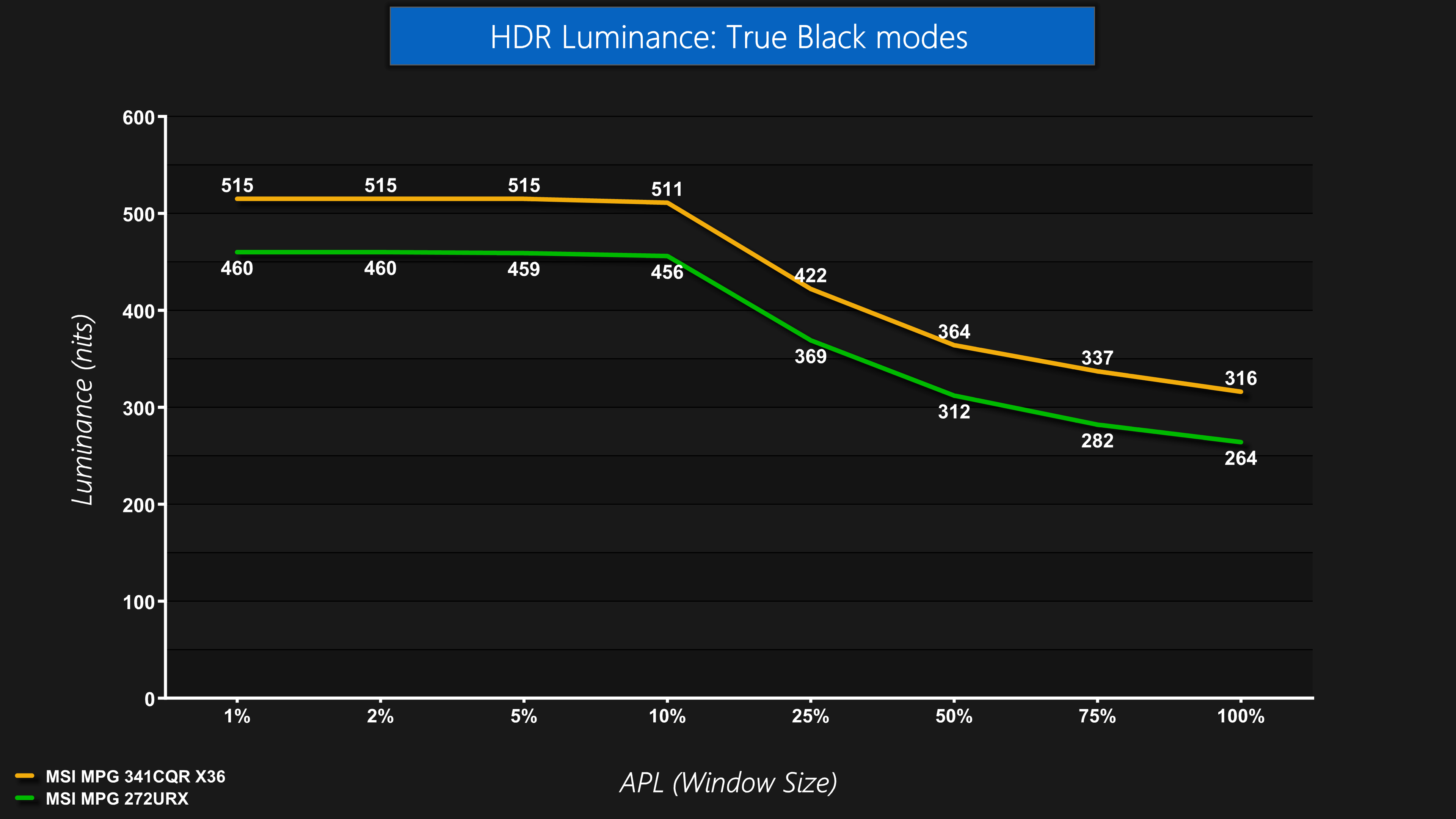
Now assuming MSI will fix the FW.014 True Black 500 mode, the original behaviour we saw from the FW.009 is a noticeable step up over previous True Black 400 modes. We're again comparing against the 272URX, where we can see the 341CQR X36 brighter at every APL.
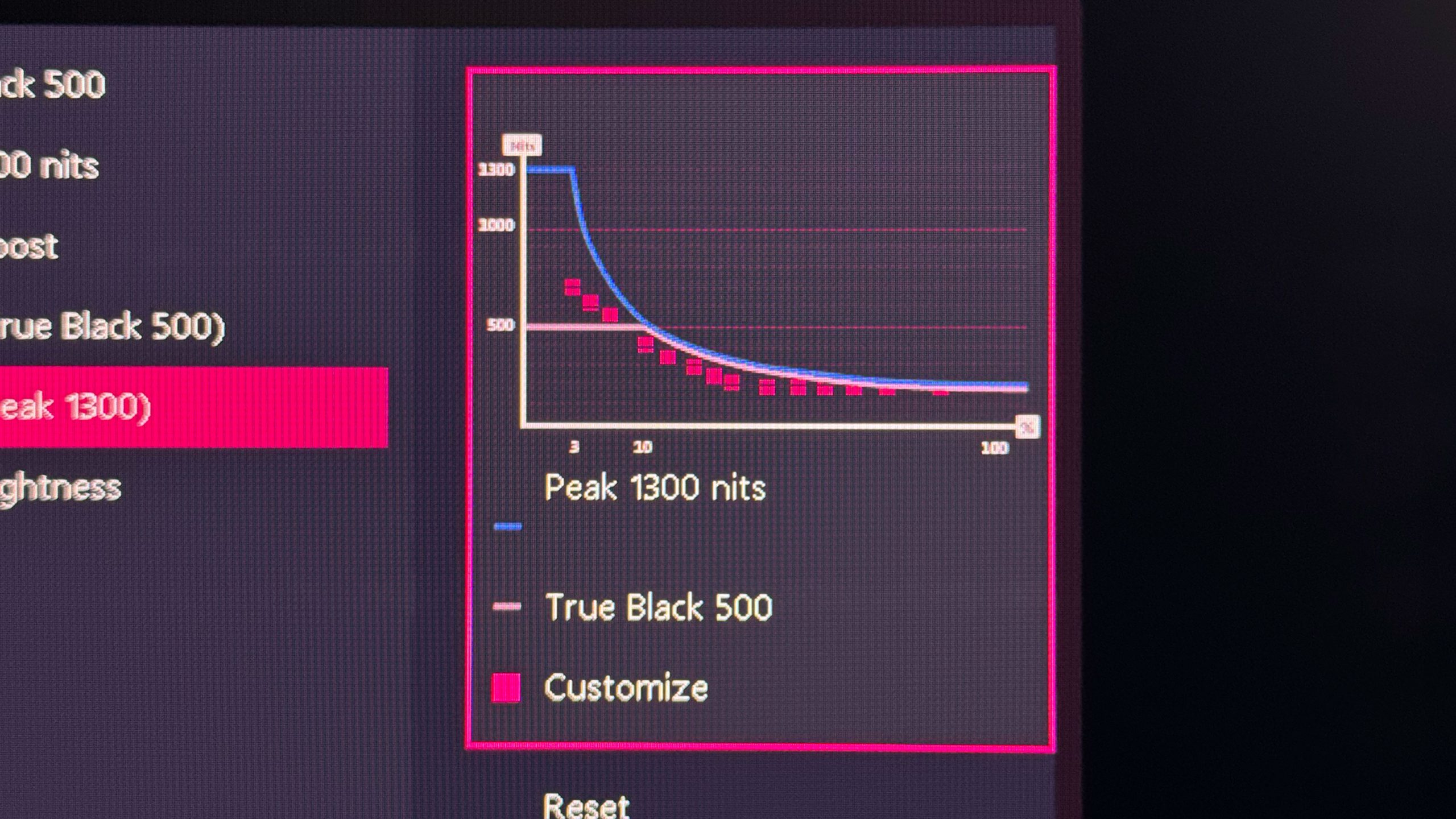
I did also try configuring my own custom curve for the Peak 1300 nits mode – MSI does now include a single HDR Brightness setting, too, so you can tone down the brightness quickly if you want, but some people may find utility using this curve adjuster.
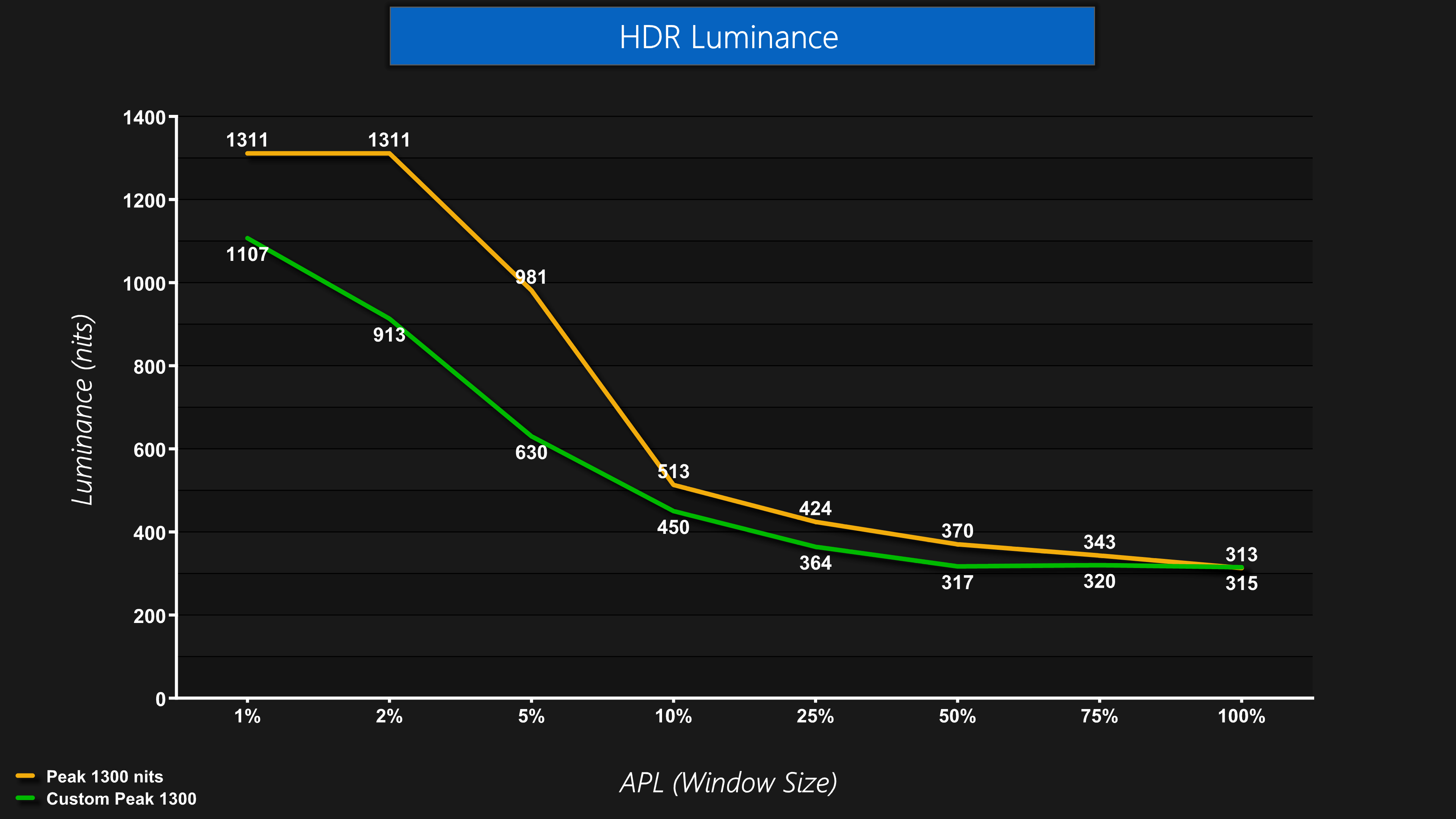
It seems to work as advertised, with my curve coming in below the default behaviour. Do note you can't use this to make the monitor brighter than the panel is otherwise capable of, so it's really just to lower the curve in certain areas if that's what you want to do.
Greyscale
There's more fun and games when it comes to greyscale testing, particularly in regards to EOTF Tracking.
We initially found both the True Black 500 and Peak 1300 nits mode worked as expected using the original FW.009, but EOTF Boost behaved strangely and was less saturated in appearance. That was fixed with FW.014, but that update also appears to have inadvertently broken the True Black 500 mode. The Peak 1300 nits mode appears unchanged, rolling off increasingly early as the APL increases, which is what we'd expect.
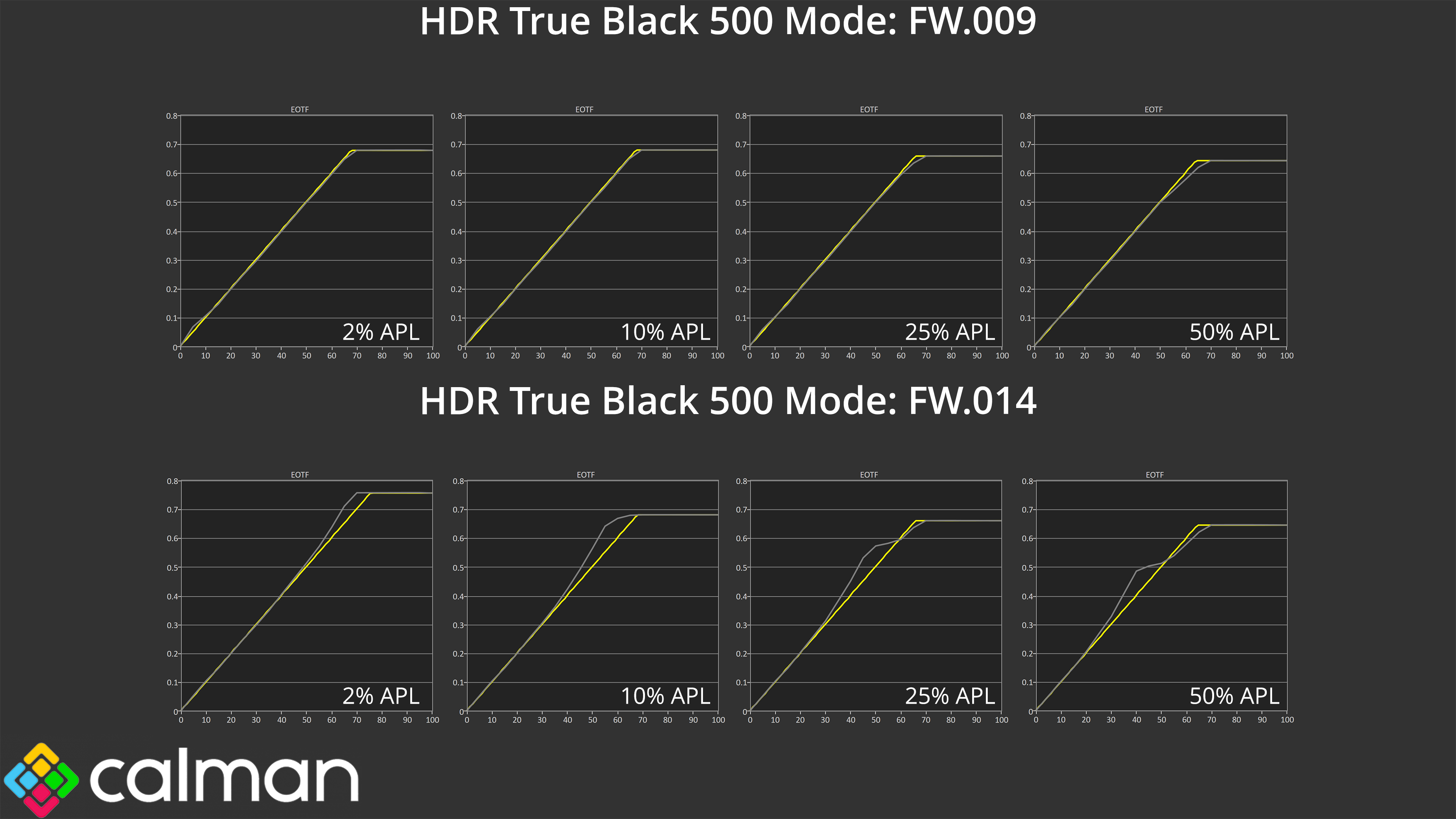
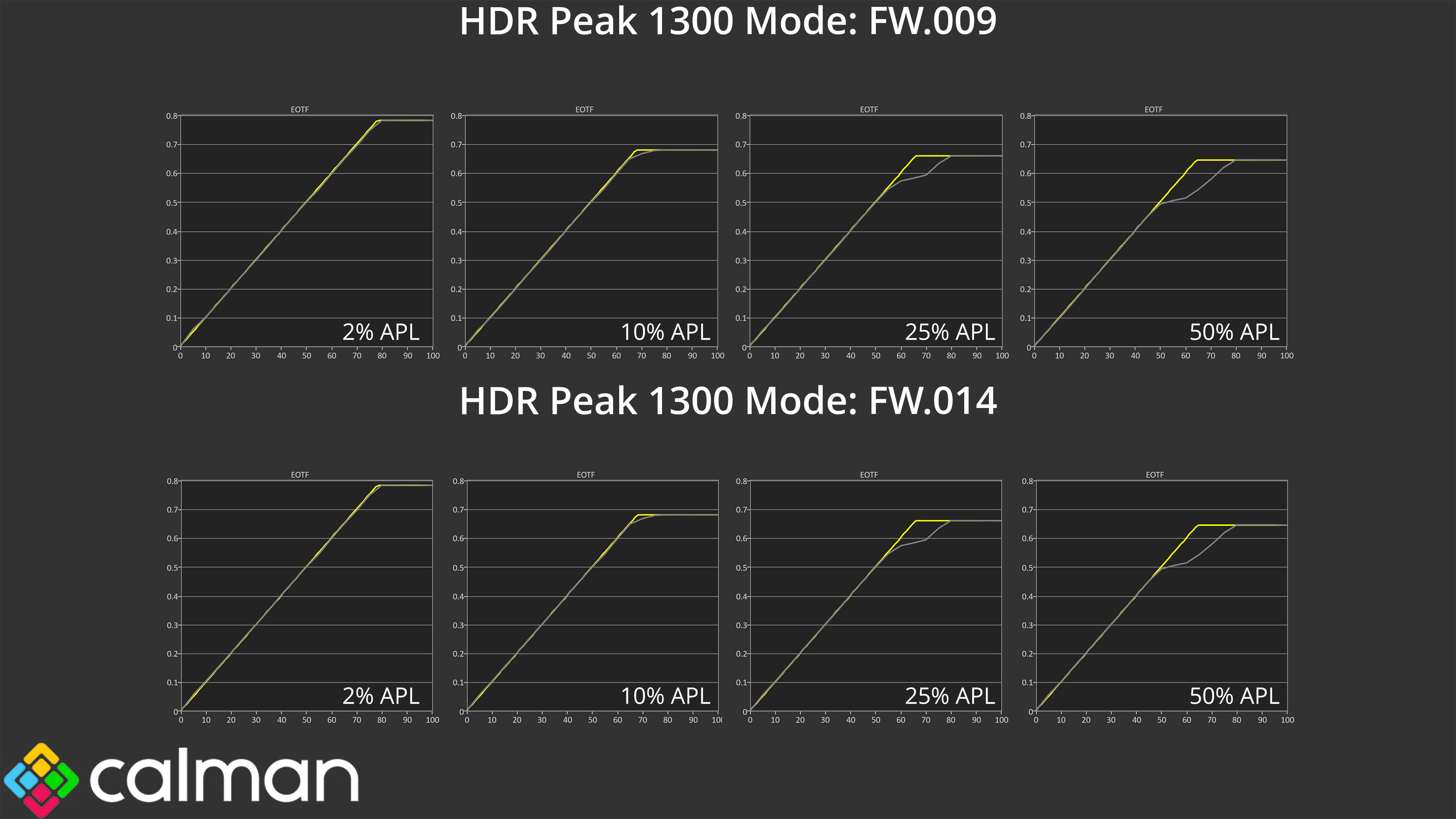
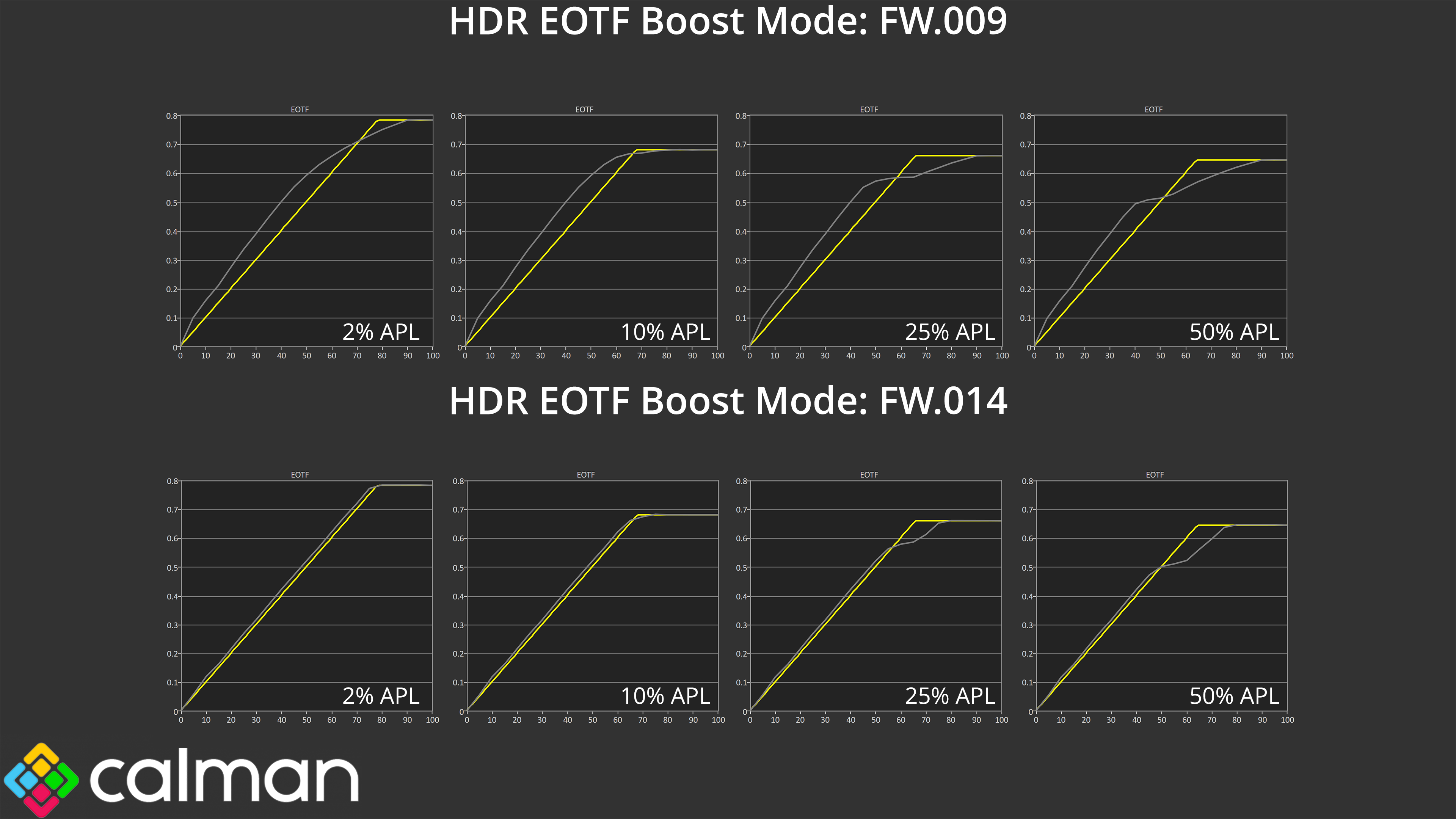
As it turns out, and I am writing this section a couple of days after my initial testing of FW.014, it is possible to get the True Black 500 mode to work as intended (like we originally saw with FW.009.) This is done by power cycling the monitor – unplugging it from power, leaving it for a minute and then plugging it back in. Upon doing so, the TB500 mode works as expected. However, the moment you change to one of the other HDR modes, and then go back to TB500, the mode breaks and we get the over-brightened behaviour we can see above.
Obviously this is not a practical solution and MSI clearly needs to issue another firmware update. That said, I personally don’t see it as a massive deal given the correct behaviour is in the firmware somewhere, the current implementation is just not right. MSI also told me that the actual retail launch for the 341CQR X36 isn’t until the end of January, so the company does have some time to get things back how they should be before units actually end up in customers' hands.
Colour Accuracy
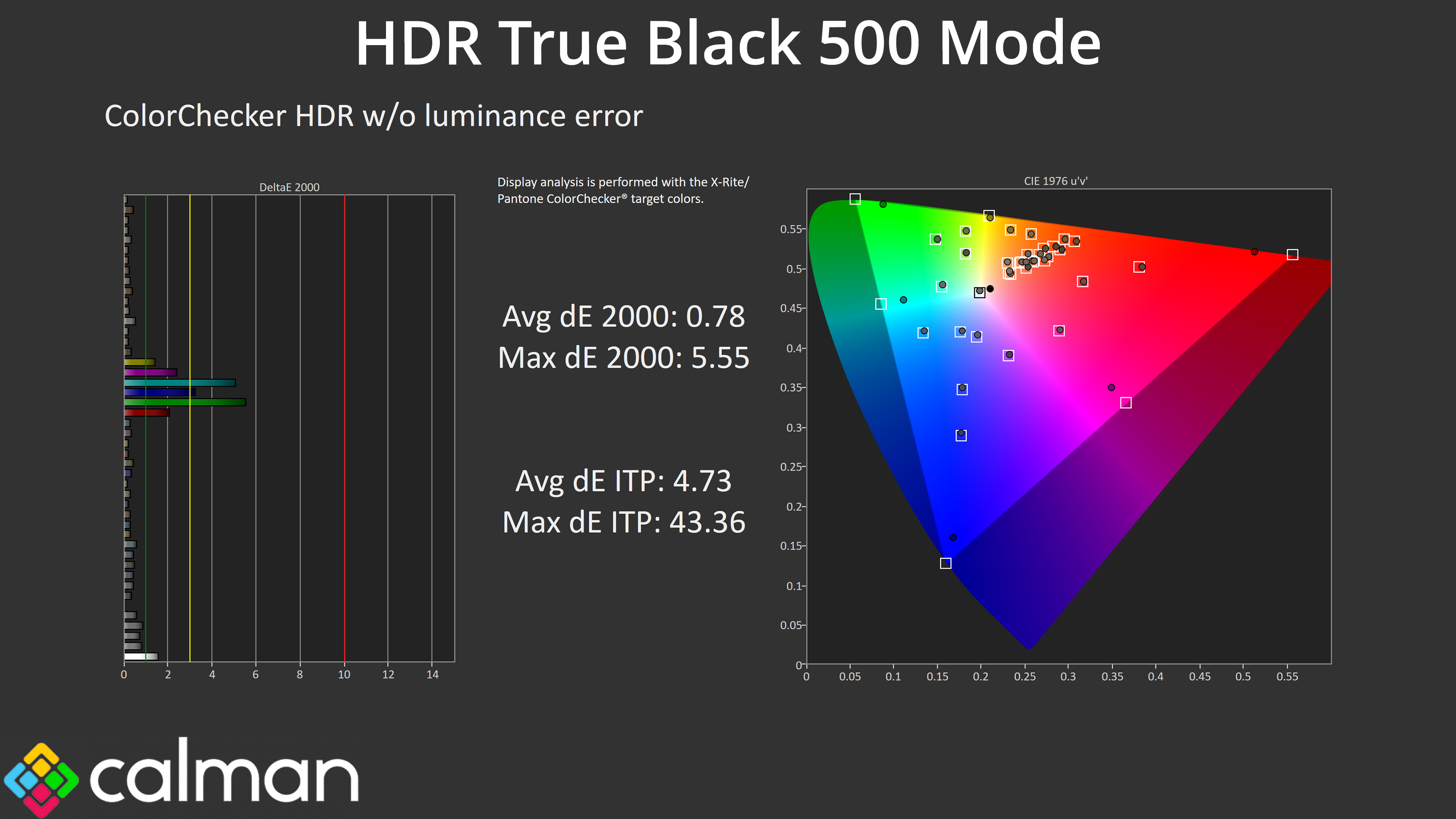
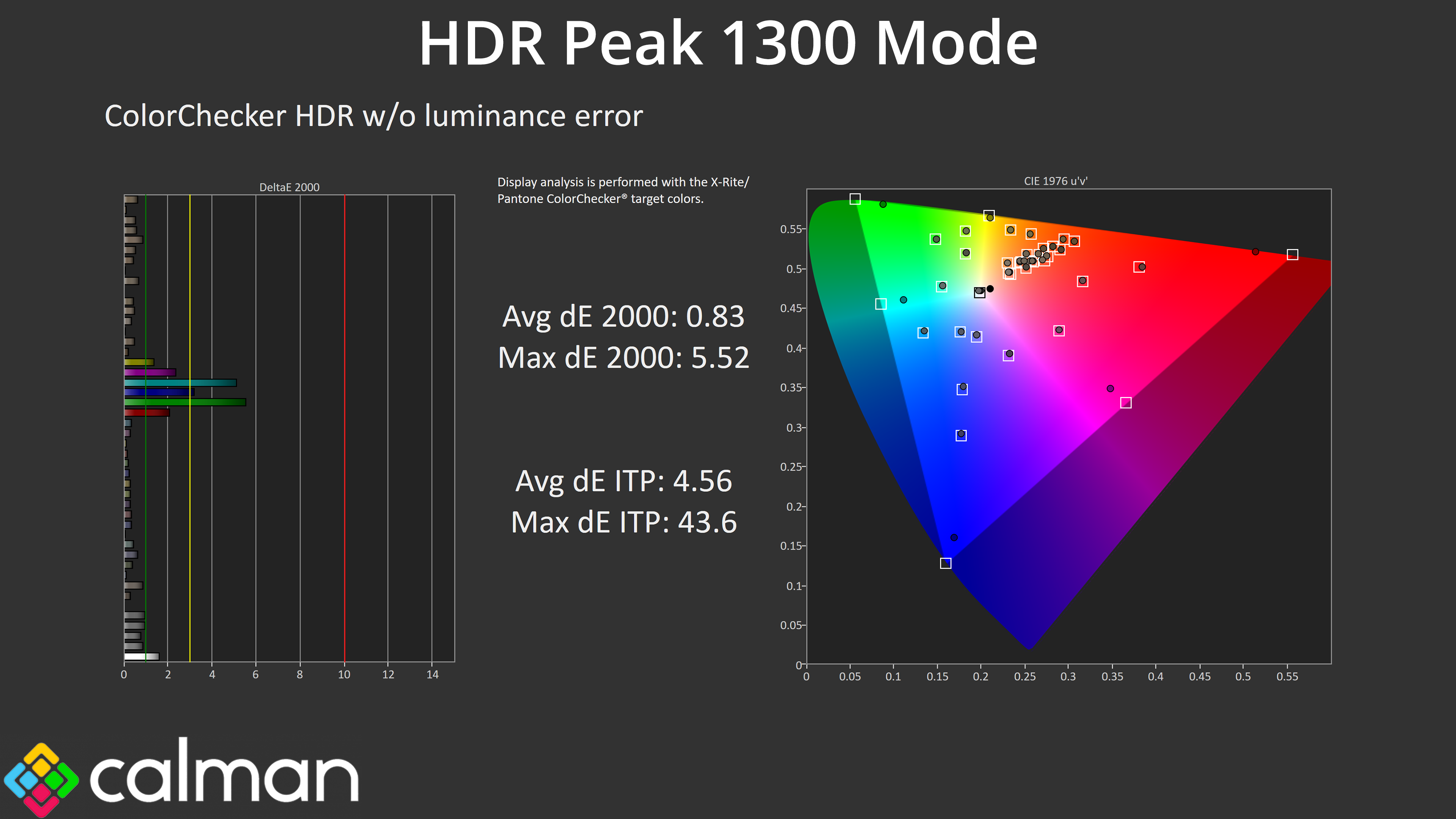
We can, however, see high levels of HDR colour accuracy from both the True Black 500 and Peak 1300 modes, even with both on the latest FW.014. The worst results come from the 100% green and 100% cyan channels, which was always going to be the case considering the 341CQR X36 doesn't cover the whole Rec.2020 colour space.