KitGuru KitGuru.net – Tech News | Hardware News | Hardware Reviews | IOS | Mobile | Gaming | Graphics Cards


HDR Testing
Following on from the SDR results on the previous page, here we re-test the relevant areas of the display with HDR enabled.
The first thing to establish with HDR is that there are three modes provided: Auto, Game and Movie.
Brightness
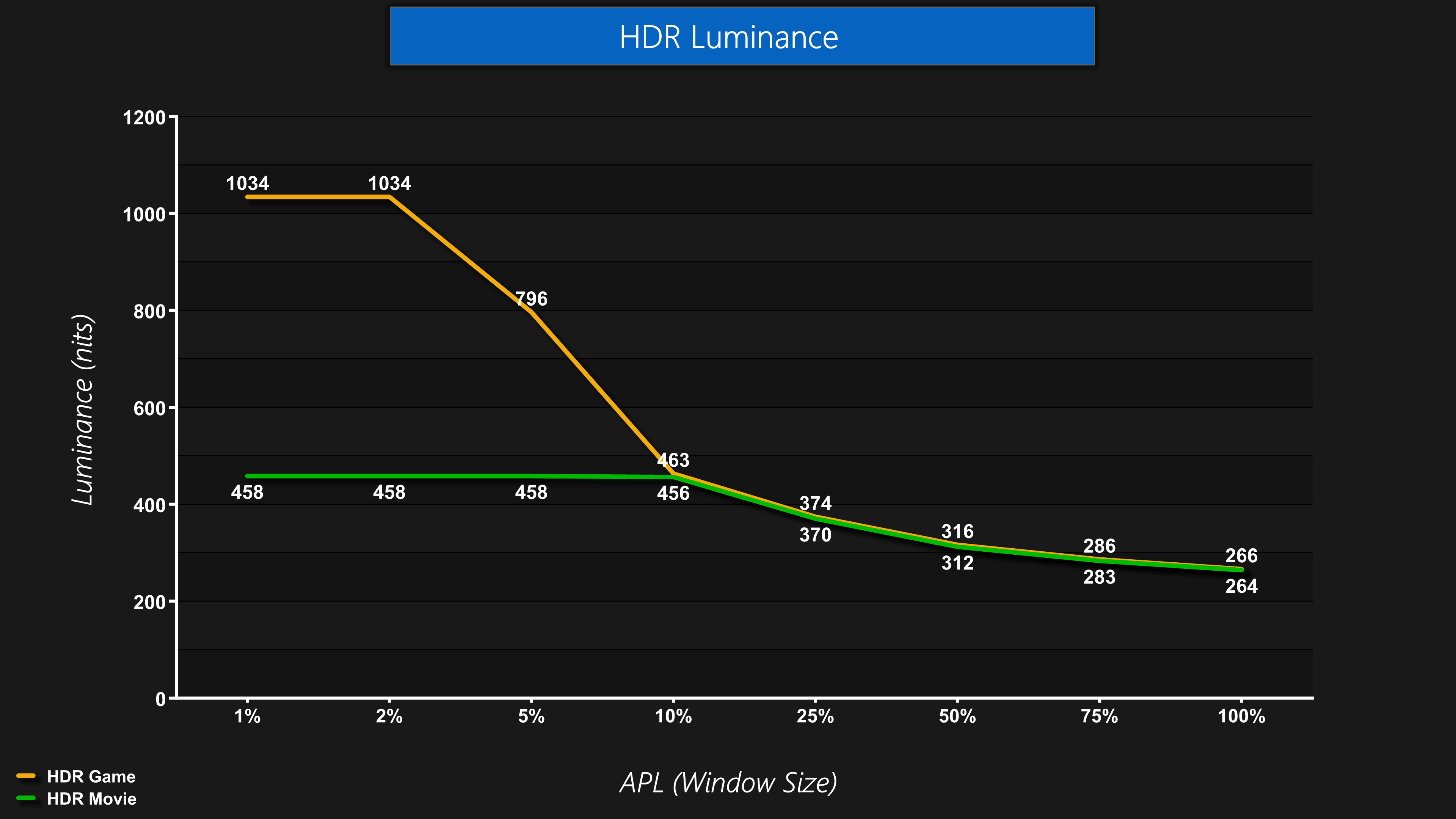
Both the Auto and Movie mode behave the same in terms of brightness, closely mirroring the typical HDR 400 True Black behaviour, whereas the HDR Game mode is like the Peak 1000 nits mode, hitting over 1000 nits for the 1% and 2% APLs before dropping off as the window size increases.
EOTF Tracking At Various APLs
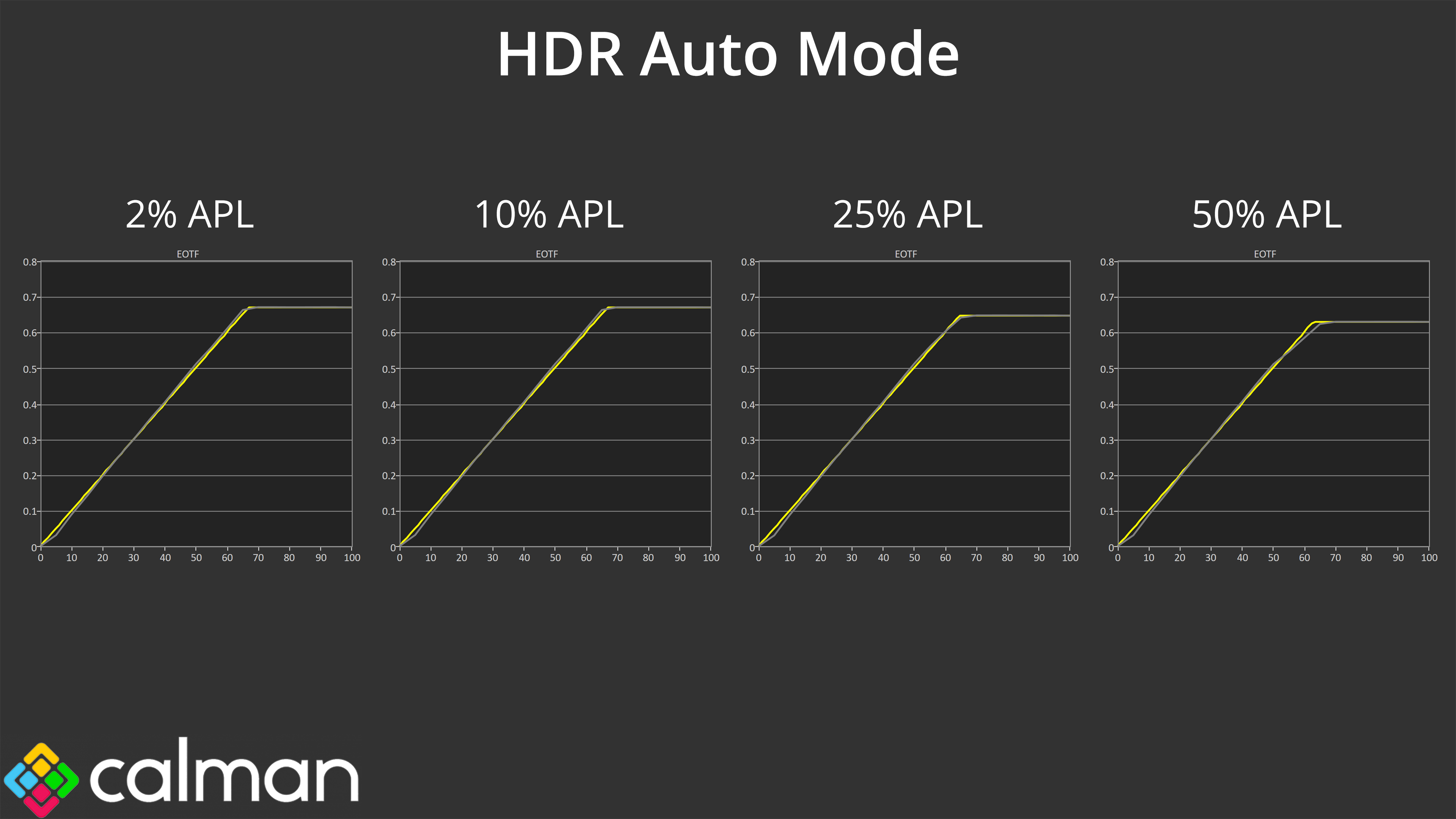
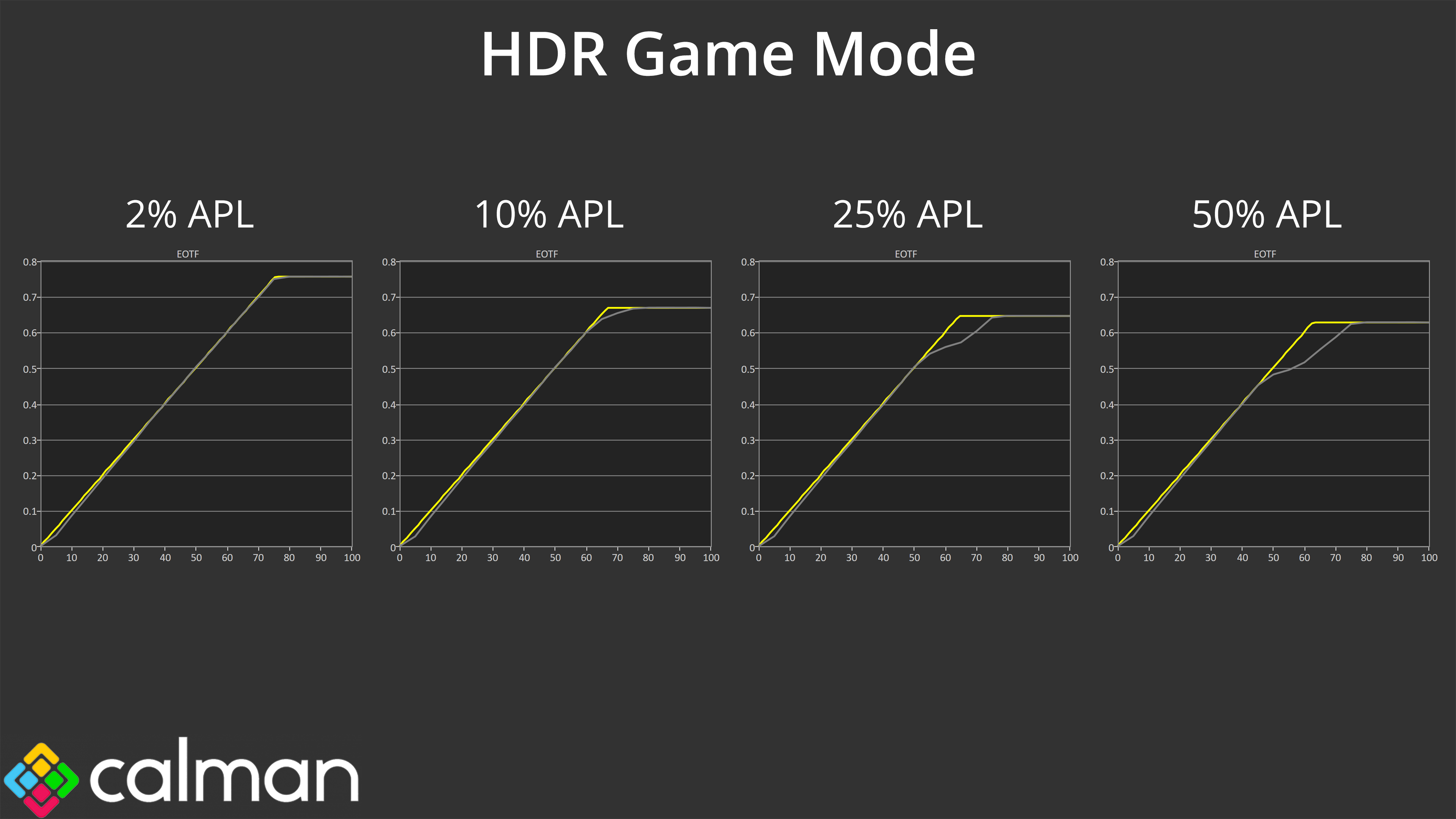
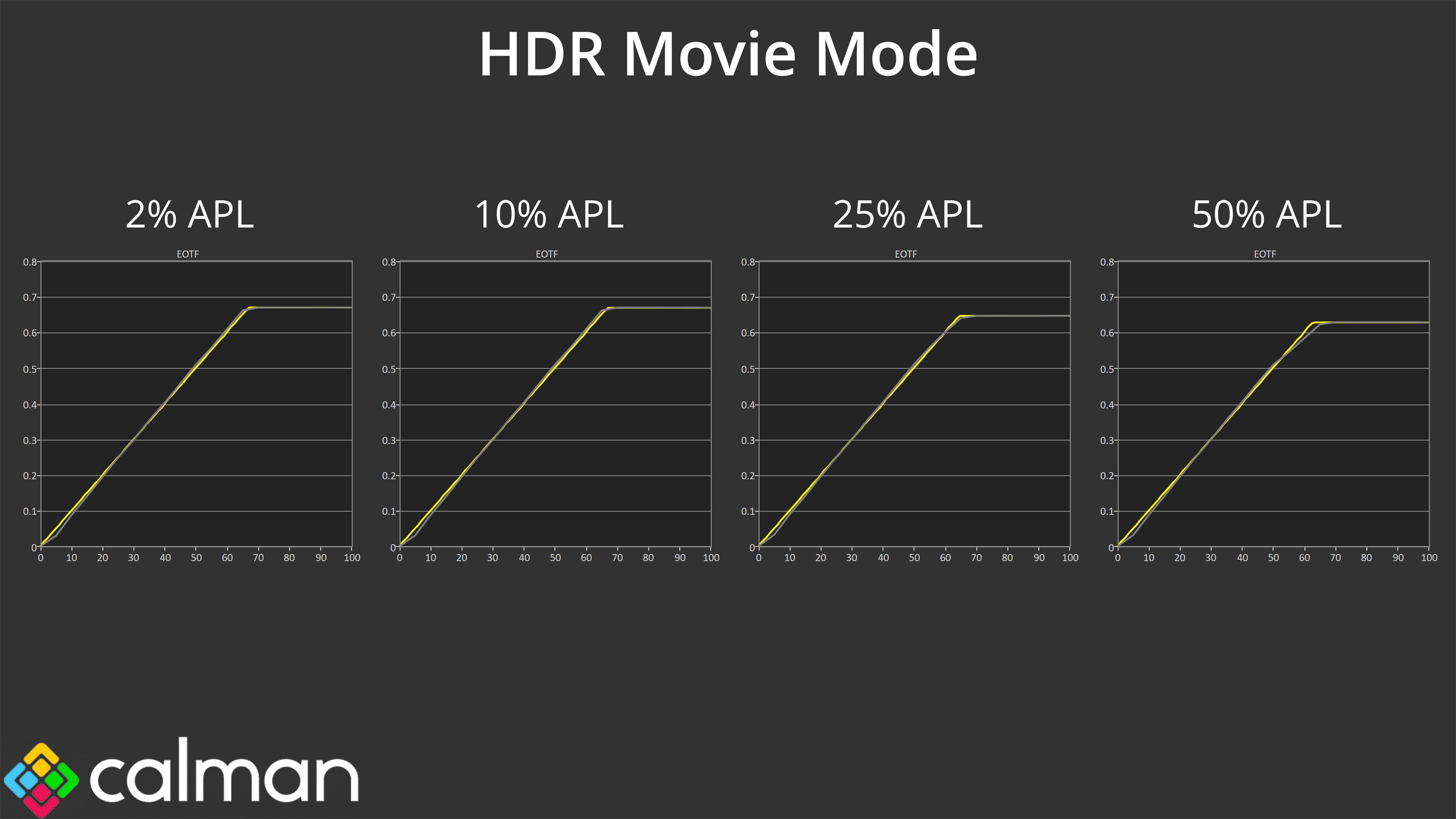
The HDR Auto mode closely matches the HDR Movie mode in terms of EOTF tracking too, both again being very accurate across the board, whereas the HDR Game mode sees the EOTF curve roll off increasingly early as the window size increases, resulting in a darker-than-intended image.
Greyscale
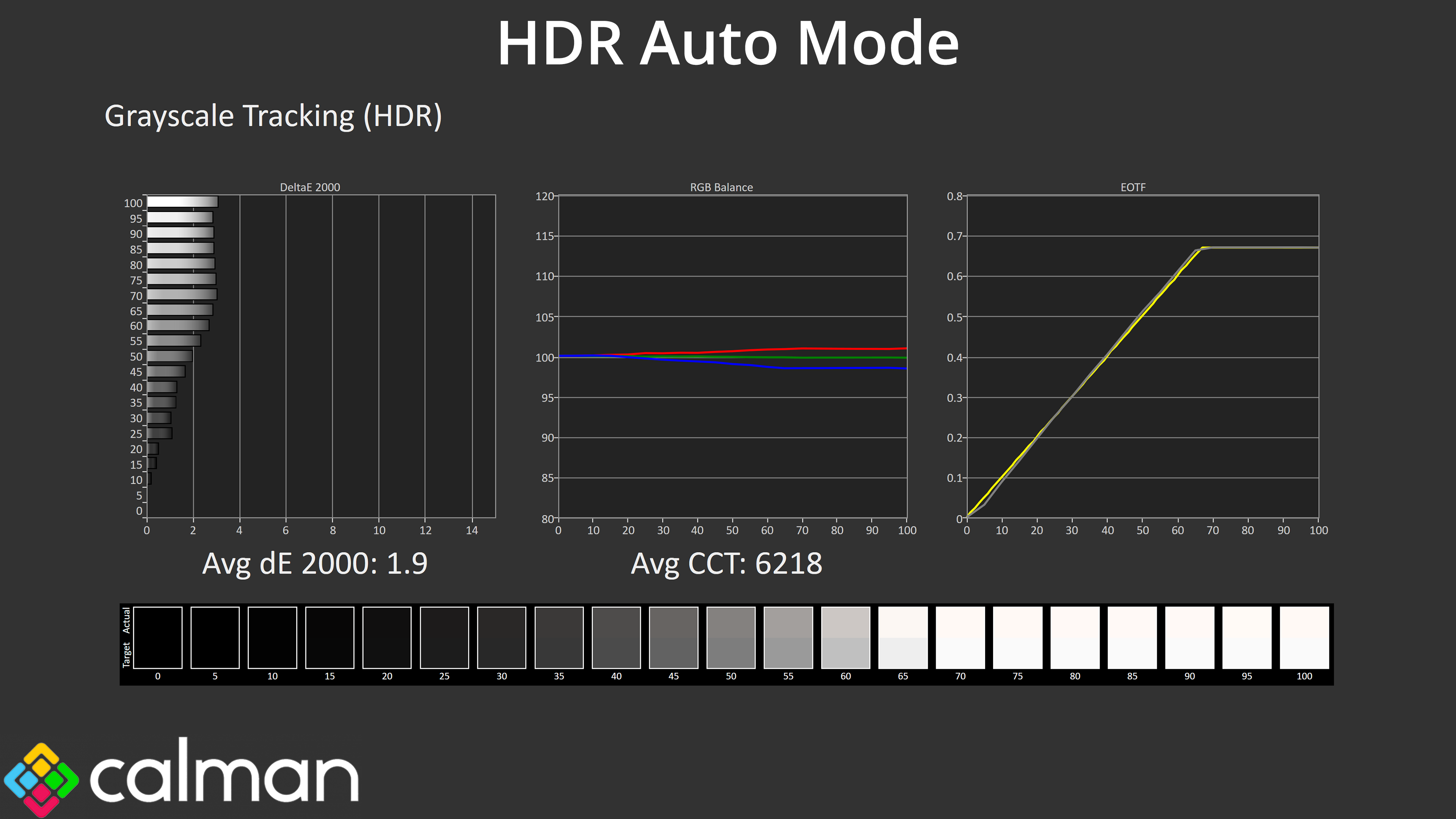
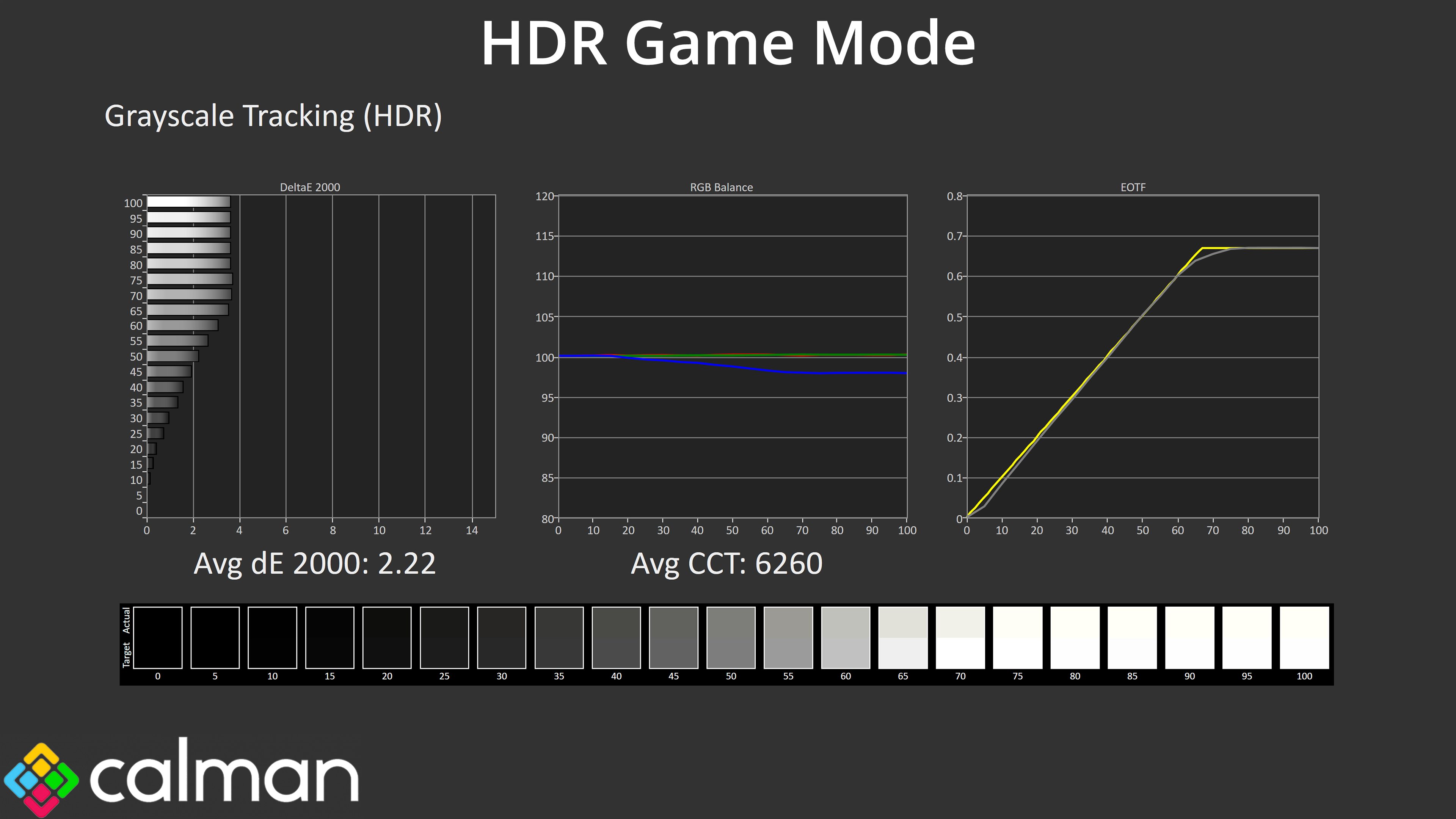
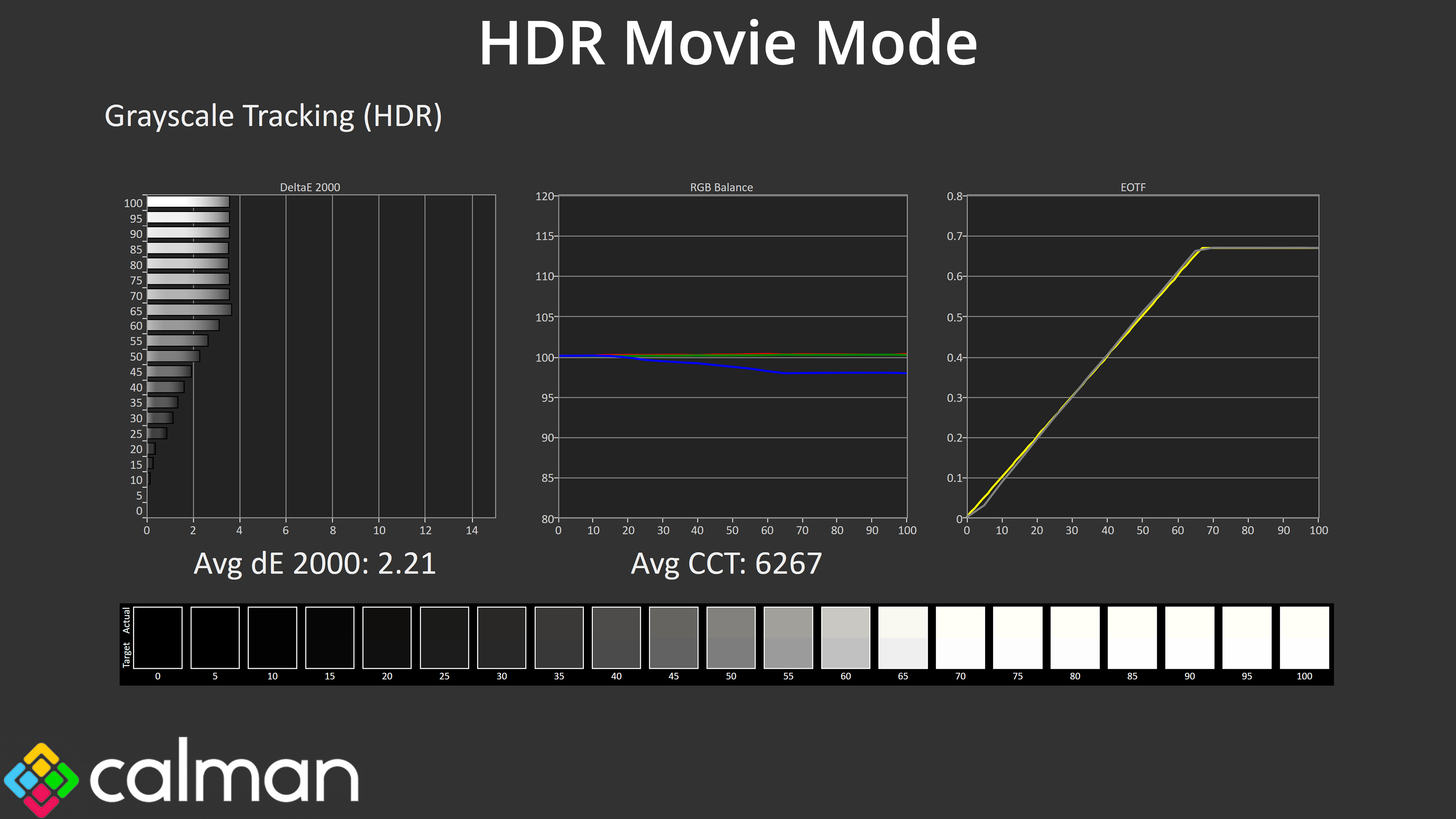
As it turns out, the only real difference between HDR Auto and Movie is the colour balance, with Auto being slightly warmer and Movie being slightly greener, but the differences are marginal.
Colour Accuracy
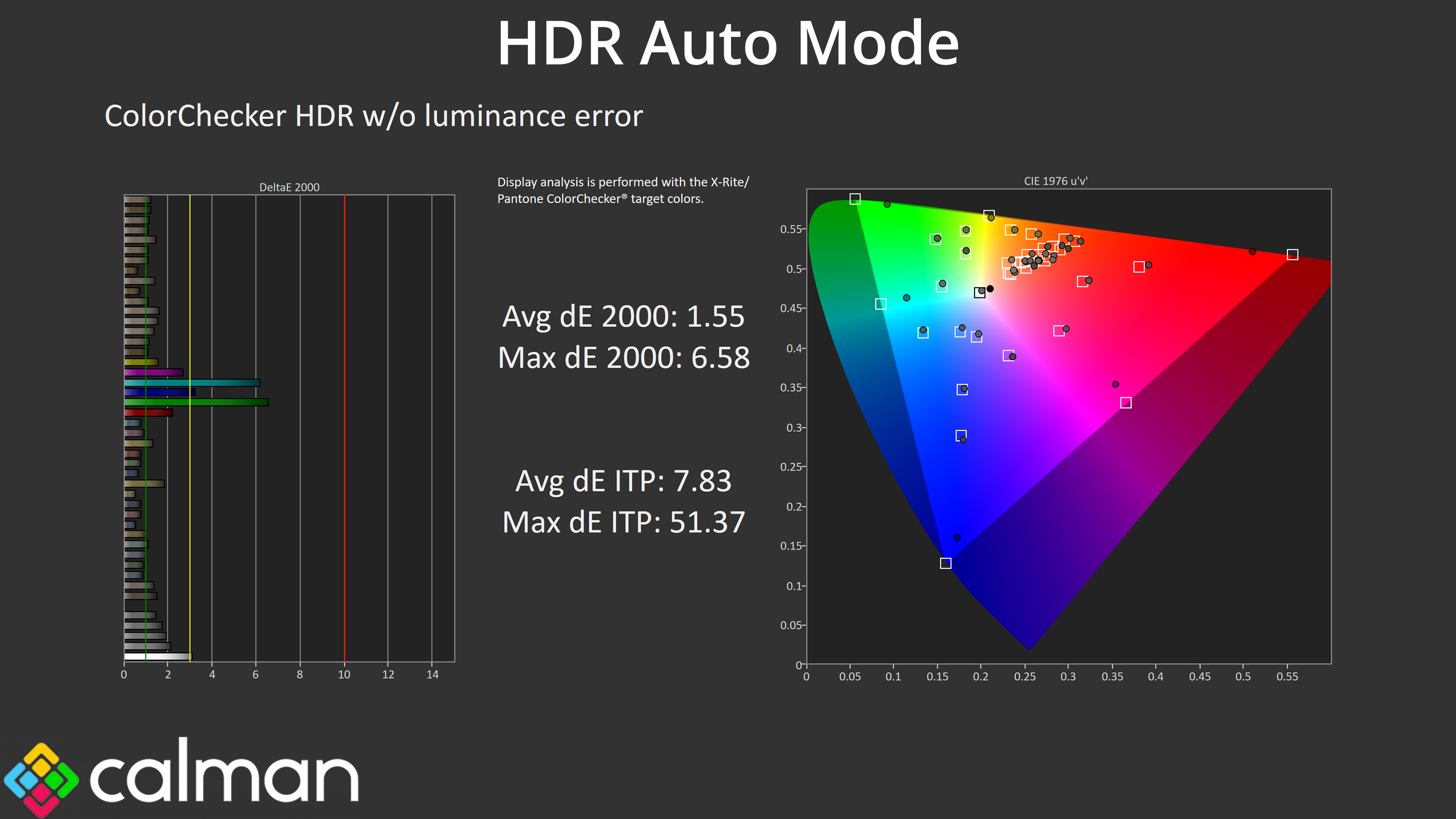
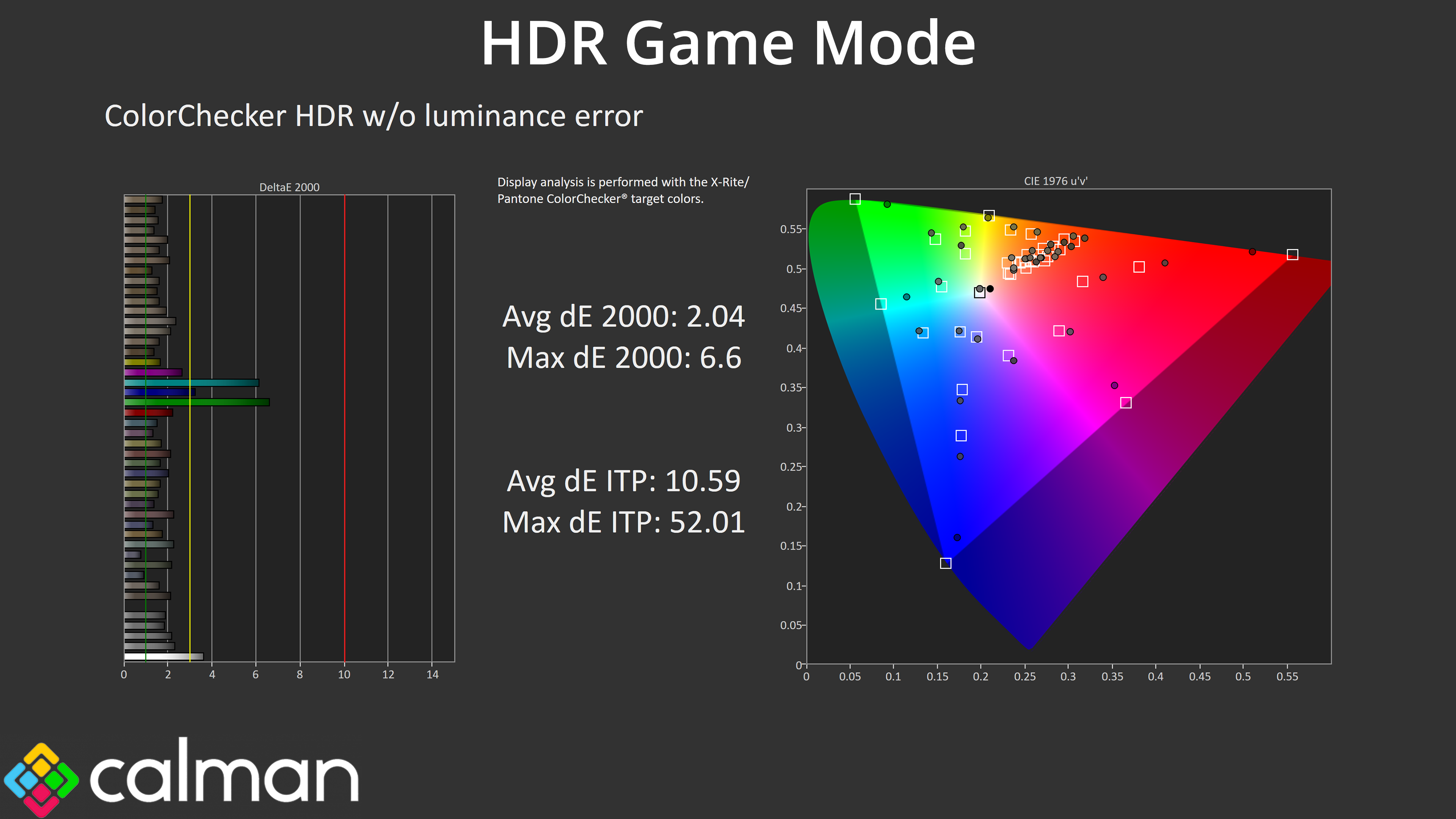
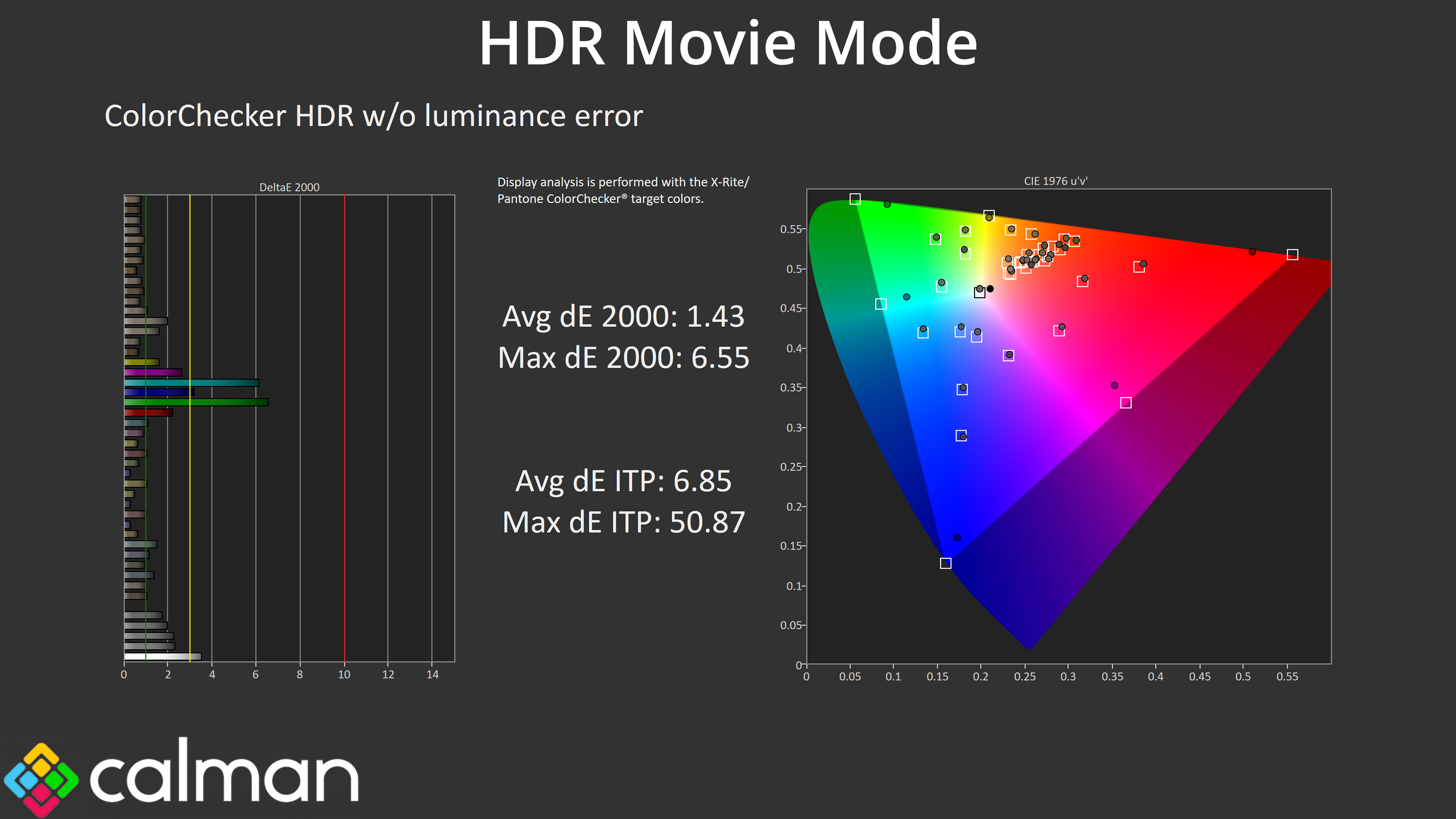
All three modes offer similar colour accuracy too, so it really comes down to your preferences. It's a shame there isn't a mode like MSI's EOTF Boost setting which aims to fix the early roll off in the 1000 nit mode, as currently you have to choose between bright highlights but a darker than intended image, or more accurate performance but at lower peak brightness – but that is typical of most QD-OLEDs and isn't an issue with this specific LC-Power.