 KitGuru KitGuru.net – Tech News | Hardware News | Hardware Reviews | IOS | Mobile | Gaming | Graphics Cards


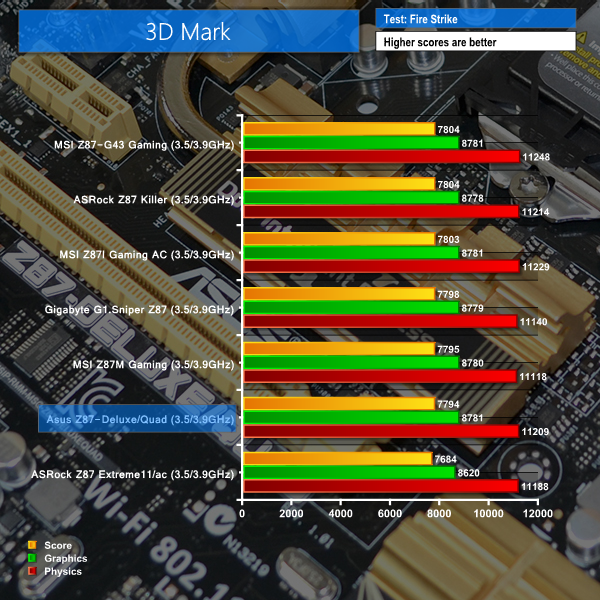
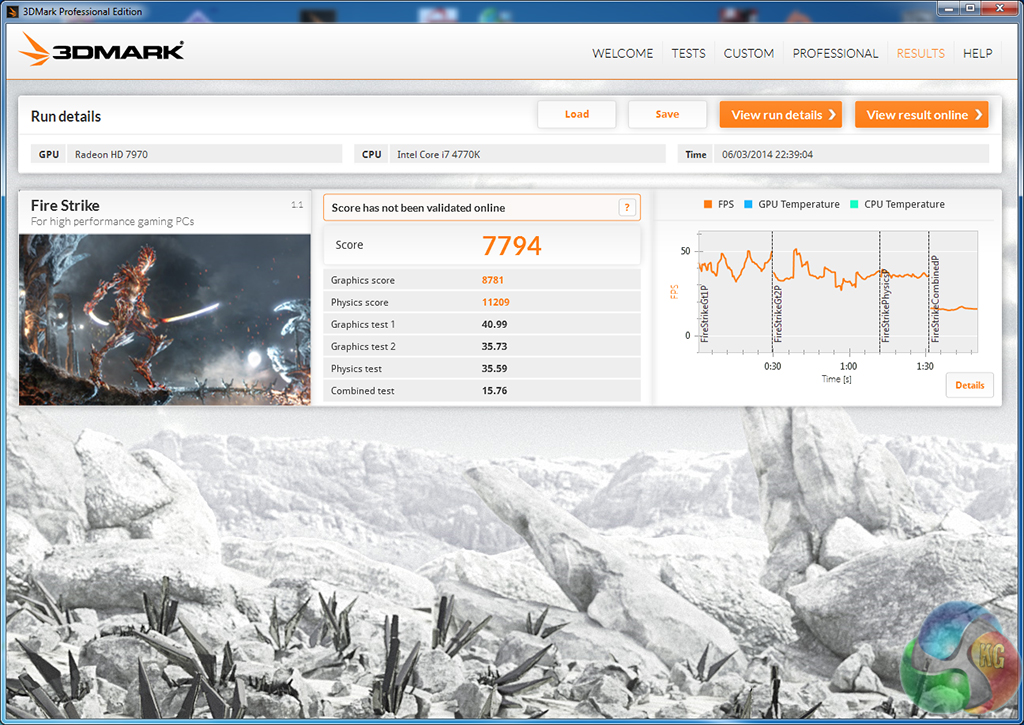
We used 3DMark‘s ‘Fire Strike’ benchmark which is designed to be used on gaming PCs. We opted for the Normal setting, NOT the Extreme mode.
We used the ‘Performance’ test in the 3DMark 11 benchmark.
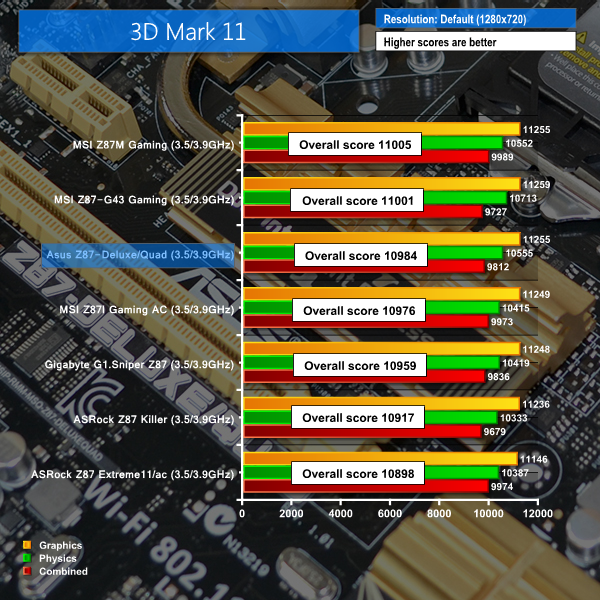
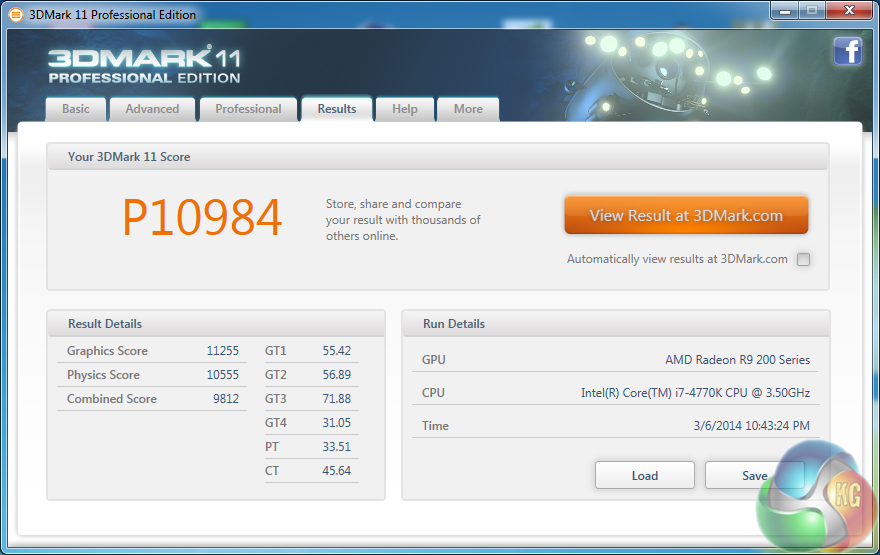
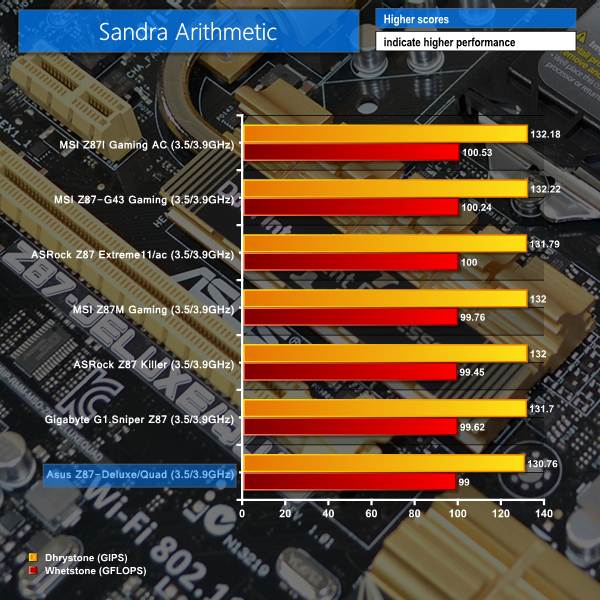

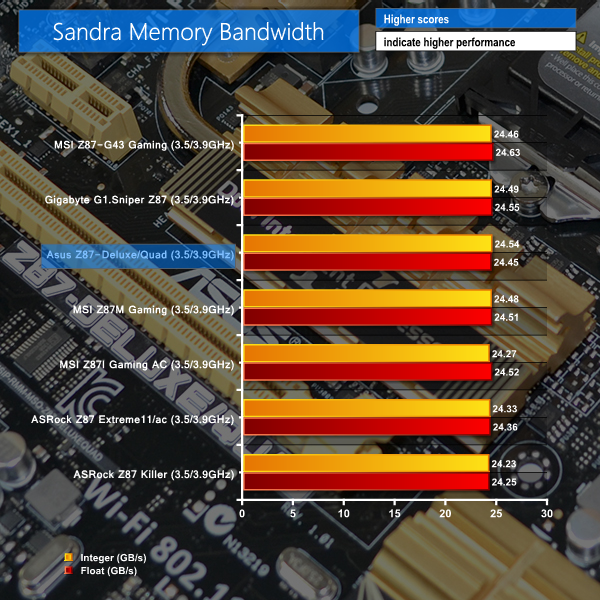

Asus's Z87-Deluxe/Quad motherboard delivers a standard set of results for a Z87 part. Given that such a large proportion of the performance-impacting components are situated on an LGA 1150 chip, it is no surprise that performance differentials between Z87 motherboards are few and far between.

They make great motherboards, but I never liked this gold colour scheme, its difficult to match up with other components in a windowed case. I prefer their traditional red ROG schemes.
I was going to buy this board as I have a few lightning drives which I also use on my macbook pro. its not a bad price considering the feature set.
how much is that delux motherboard asus z87 review
Please send me a me a quotation for an Asus Z87 -Deluxe/quad Mother board ,processor and other components for itas stated on page 8,also the cost of shipping.
Andy Hawkins
In your Excellent review, you typed, “…A pair of Gigabit Ethernet ports is provided by a combination of Intel’s I217V chipset, as well as the RTL8111G from Realtek. Asus should make it easier for users to understand which Ethernet connection is fed by each controller..” I found a Great answer!
I just received my ASUS Z87-Deluxe/Quad motherboard, and it has an “Intel” sticker that covers the top of the ethernet output port (the one closest to the BIOS feedback button), that states in three lines ” Intel Ethernet, Great Capability, GBit LAN”. Then by default, the Ethernet port next to the Analog port is the Realtek port !