KitGuru KitGuru.net – Tech News | Hardware News | Hardware Reviews | IOS | Mobile | Gaming | Graphics Cards



For overclocking, we used Gigabyte’s Aorus Master utility. We managed to add +95MHz to the GPU cores and +1000MHz (2000MHz effective) to the GDDR6 memory.
Average clock speed under load
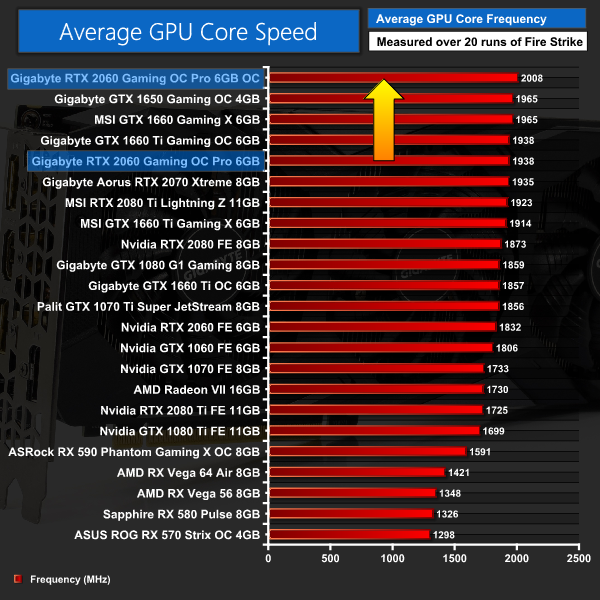
This wasn't quite as good as I was hoping, though it still brought our average clock speed beyond 2GHz, with a real-world increase of 70MHz. The ASUS ROG Strix RTX 2060 did overclock to 2045MHz, however, so it's not the best result we've seen from a 2060.
3DMark and games testing
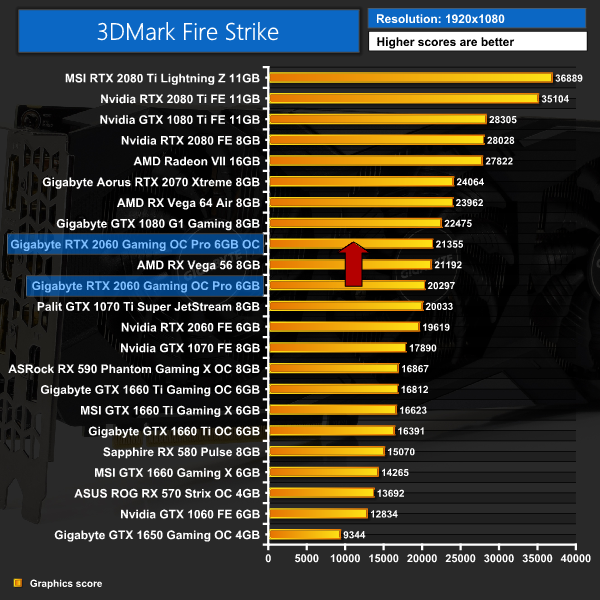
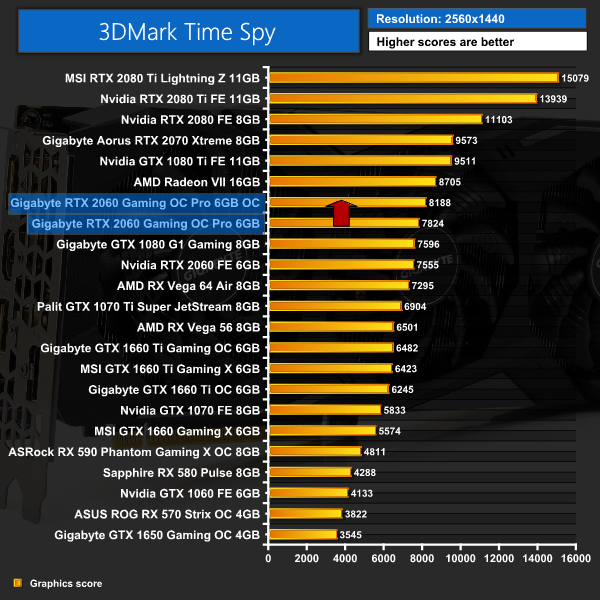
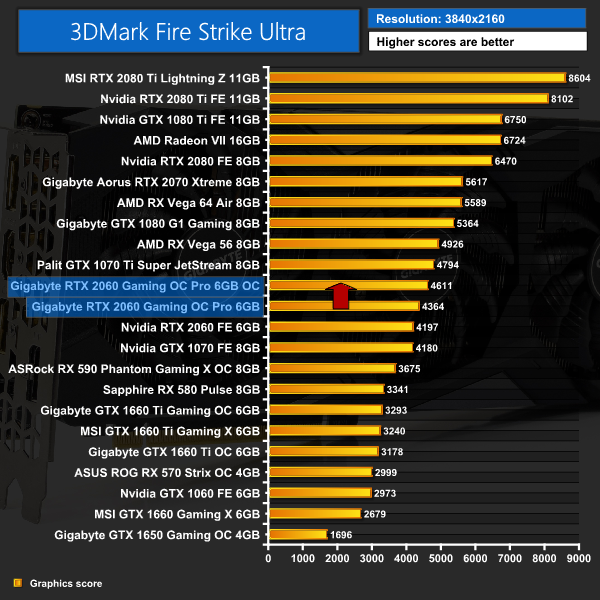
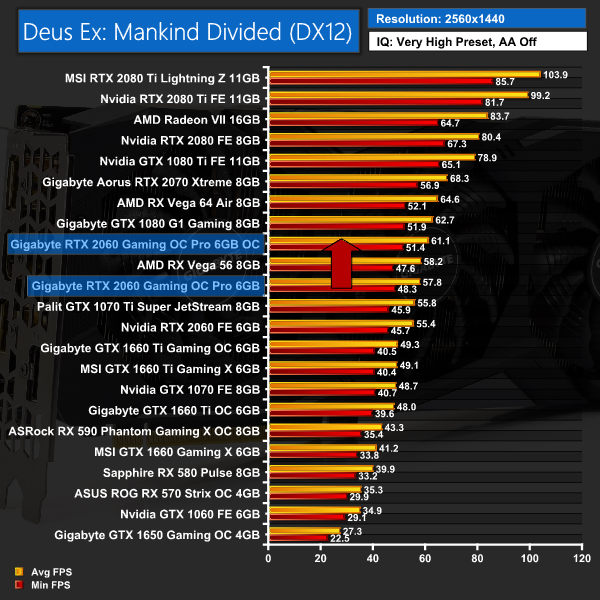
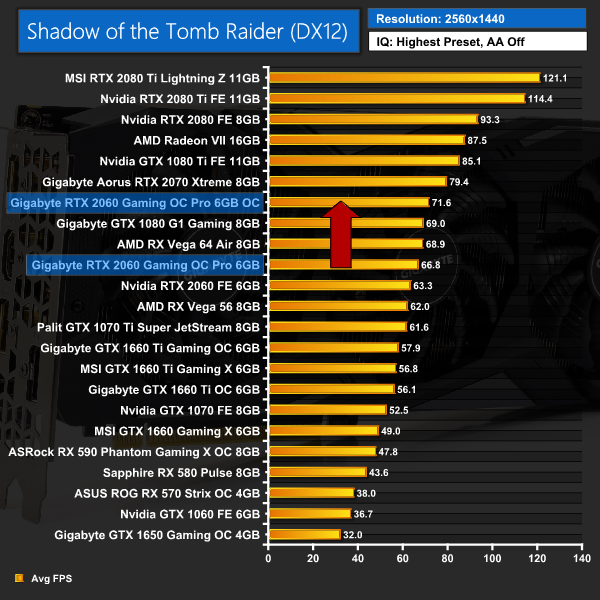
This overclock did bring some decent gains to our real-world performance, though, with a 5% increase to our Fire Strike score. Our games, tested at 1440p, also saw frame rate increases of between 3-5FPS which is definitely something, even if we couldn't get the clock speed as high as I would have liked.